A calm, scholar-respectful companion for your daily deen.
Azal helps Muslims build consistency in prayer, Quran, and remembrance — with mood-based duas, prophet stories, a guided tasbeeh, and a scope-aware AI assistant that always points back to the sources.
ابدأ يومك بذكر الله
"Begin your day with the remembrance of Allah."
Splash
Built for the Muslim who wants a calmer rhythm with their deen.
Azal doesn't try to be a scholar, a mosque, or a substitute teacher. It is a gentle companion — for whoever you are this week.
The Consistent
You already pray — Azal helps you stay regular with gentle reminders, streaks, and a routine built around your actual day.
The Returning
If you're rebuilding your practice, Azal offers a softer on-ramp: small daily tasks, mood-based duas, and stories that re-anchor the heart.
The Learner
Curious about a verse, a hadith, or a story? Browse the Quran and six major hadith collections, or ask Azal in scholarly mode.
The Heart in Need
Anxious, grateful, tired, lonely — pick a mood and Azal opens a relevant dua and a verse to sit with for a moment.
The Family Builder
Use the Salah and Wudu guides to teach children. Stories of the Prophets are written in clear, accessible English.
The Cautious
Azal's AI is scope-locked to Islamic guidance and reminds you it is educational — never a replacement for a qualified scholar.
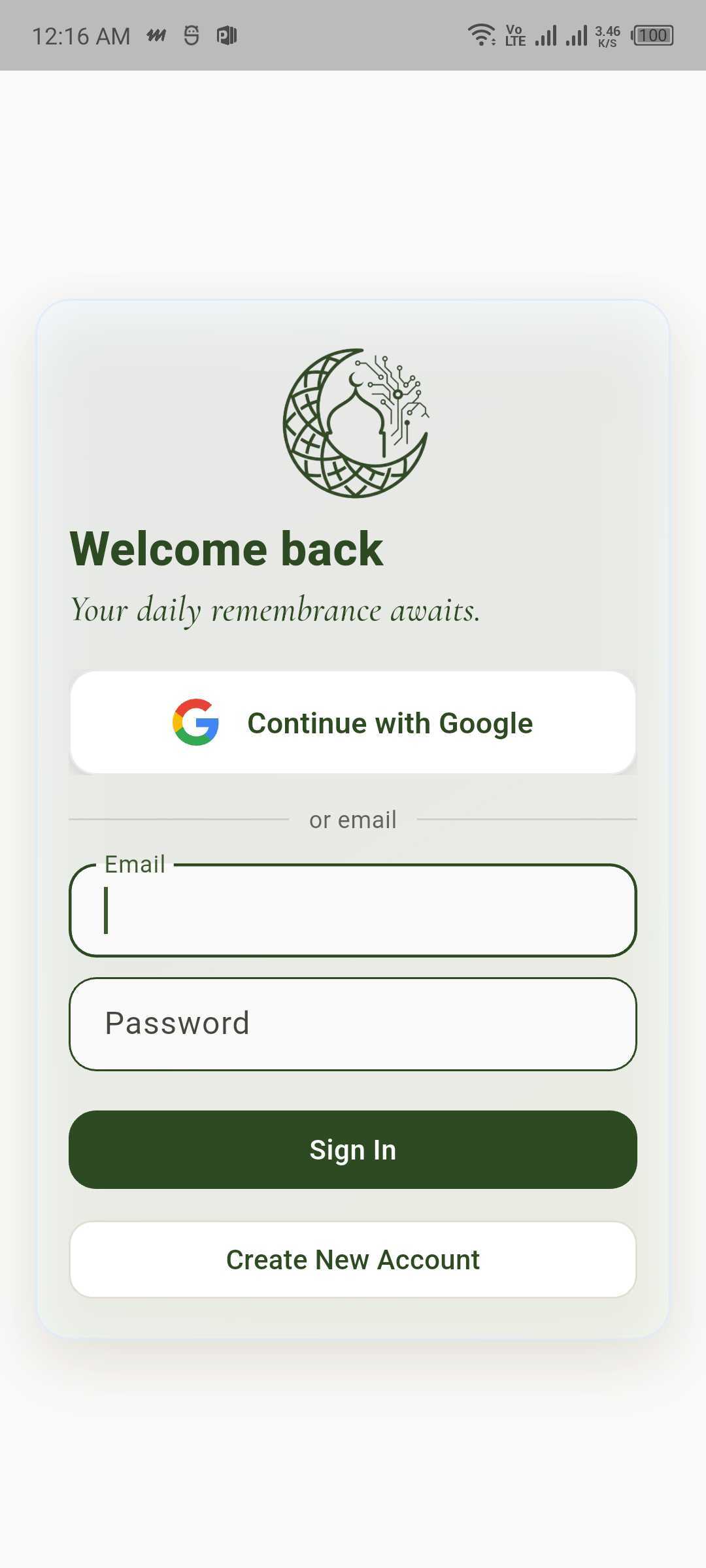
Sign in to Azal
A two-minute setup. Then Azal adapts to you.
Onboarding is the only time Azal asks you about yourself. After that, your routine quietly tunes itself to your goals and the time you can give each day.
1 · Splash
The app opens to a quiet splash with the Azal mark and a short reminder — a brief moment to set intention before the screen does.
2 · Sign in
Continue with Google or email. Sign-in keeps your plan, streaks, and bookmarks synced across devices.
3 · Spiritual goals
Pick what matters most this season — Consistent Prayer, Quran Reading, Daily Adhkar, Deep Learning, or Mindful Charity.
4 · Daily availability
Choose Busy, Moderate, or Free. Azal builds your daily plan and tasbeeh suggestions around your real life.
5 · Begin your journey
Azal compiles your first week of tasks and unlocks your dashboard. You can adjust everything later.
Five places. One clear path.
Azal is intentionally simple. A persistent bottom dock keeps the five most important areas one tap away — including a center Ask Azal button.
Home
Your deen dashboard — greeting, today's tasks, quick entry to every feature.
Plan
Daily spiritual tasks, completion tracking, and the streak that keeps you going.
Ask Azal
The center button. A scope-aware Islamic AI assistant in two modes.
Mood
Pick a feeling. Azal offers a verse, a dua, and a moment of stillness.
Quran
Browse surahs and ayahs, with optional recitation playback.
Your deen dashboard, at a glance.
Open the app and Azal greets you by name, with today's date and a quiet summary of what's next. The Today's Deen card shows your prayers and progress; quick actions for Quran, Hadith, and Tasbeeh sit just below.
Personalized greeting & today's date
A simple, calm header — no overwhelming widgets, no inbox of unread reminders.
Today's Deen with prayer progress
Fajr, Dhuhr, Asr, Maghrib, Isha — check each off as you pray. View the full plan with one tap.
Quick actions
Direct shortcuts to Quran, Hadith, and Tasbeeh from the home screen.
Prophet Stories at the bottom
A 'See all' row of Prophet stories so you always have something to read.
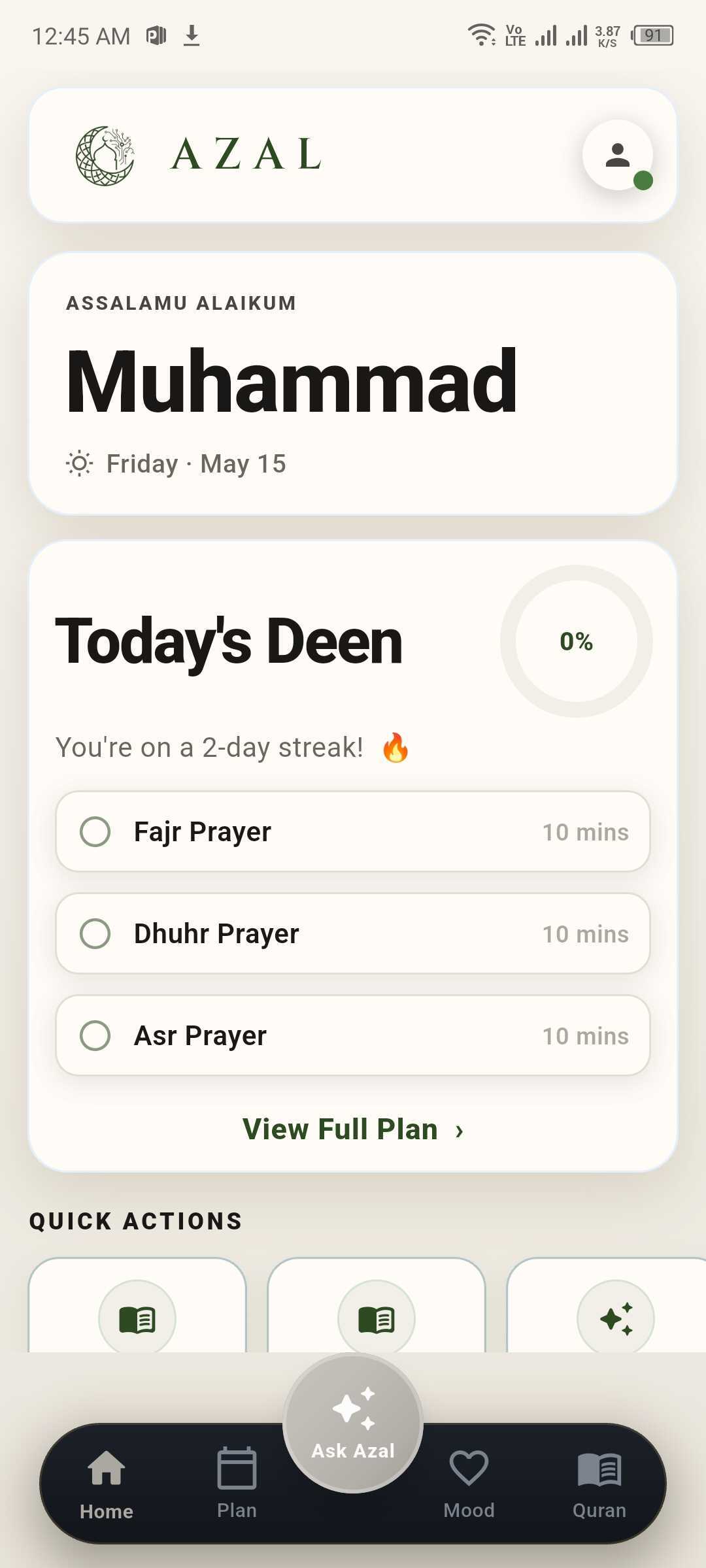
Home
A deen-focused companion. Never a fatwa machine.
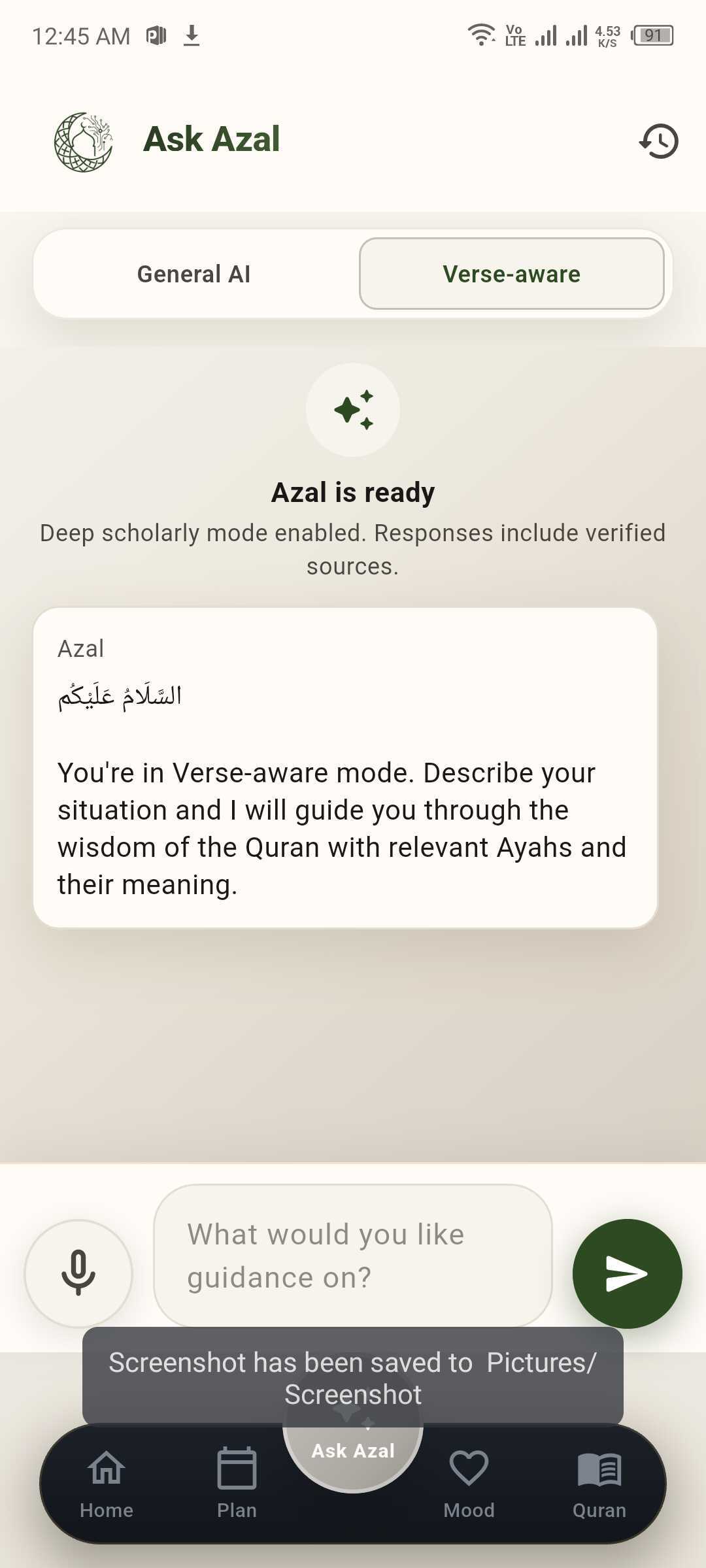
Ask Azal opens with a salam and a gentle introduction. Two modes let you pick the depth you want: General for everyday Islamic questions, or Verse-aware for answers anchored in the Quran and authentic Sunnah.
السَّلَامُ عَلَيْكُمْ
Assalamu alaikum — peace be upon you.
General AI mode
Conversational and approachable. Best for everyday Islamic questions where you want a clear, friendly explanation.
Verse-aware mode
Anchored in the Quran and authentic Sunnah. Describe your situation and Azal guides you through relevant Ayahs and their meaning.
Text and optional voice
Speak your question if you prefer. Voice is transcribed on-device by your operating system — only the text reaches Azal.
Educational, not a ruling
Azal is a companion, not a scholar. For personal religious rulings, please consult a qualified scholar.
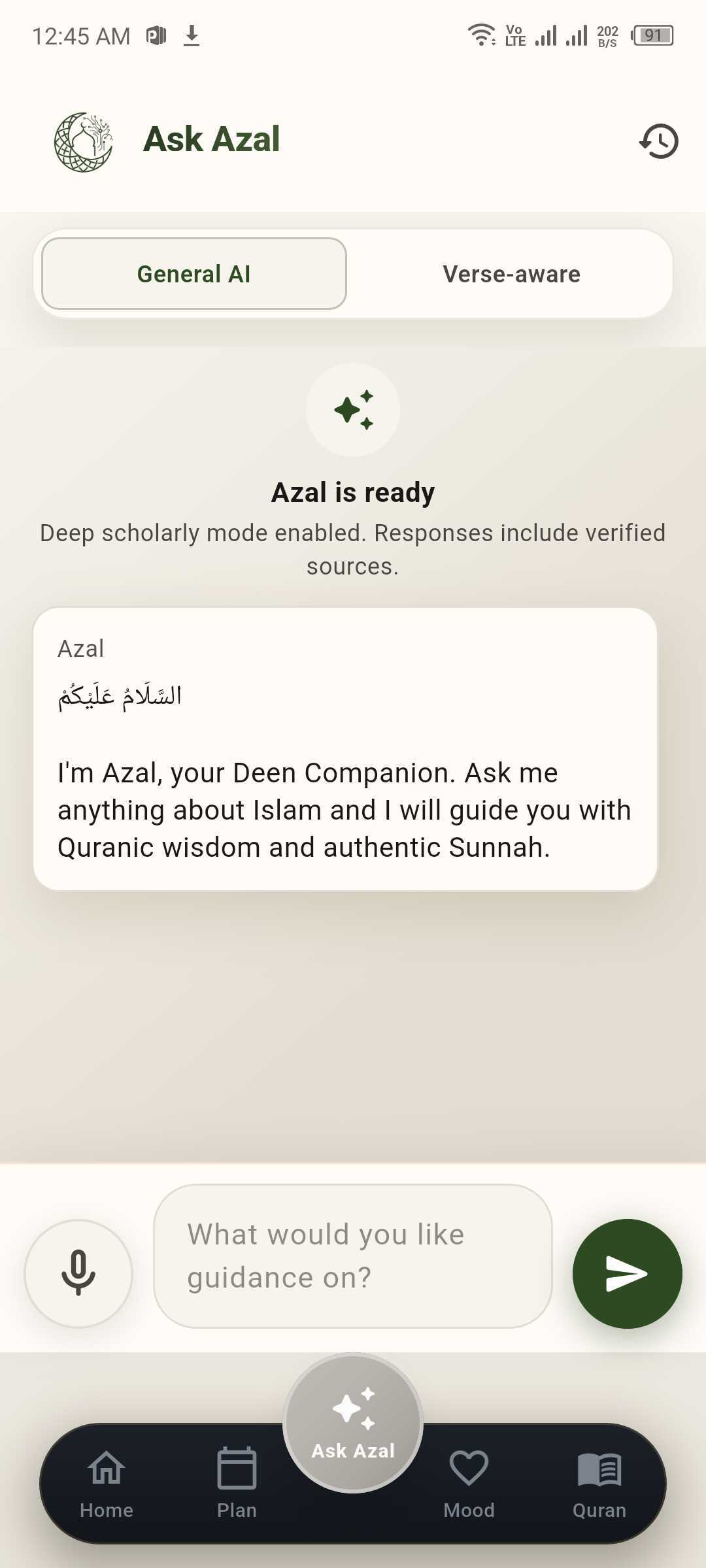
General AI
Verse-aware
A weekly rhythm that moves with you.
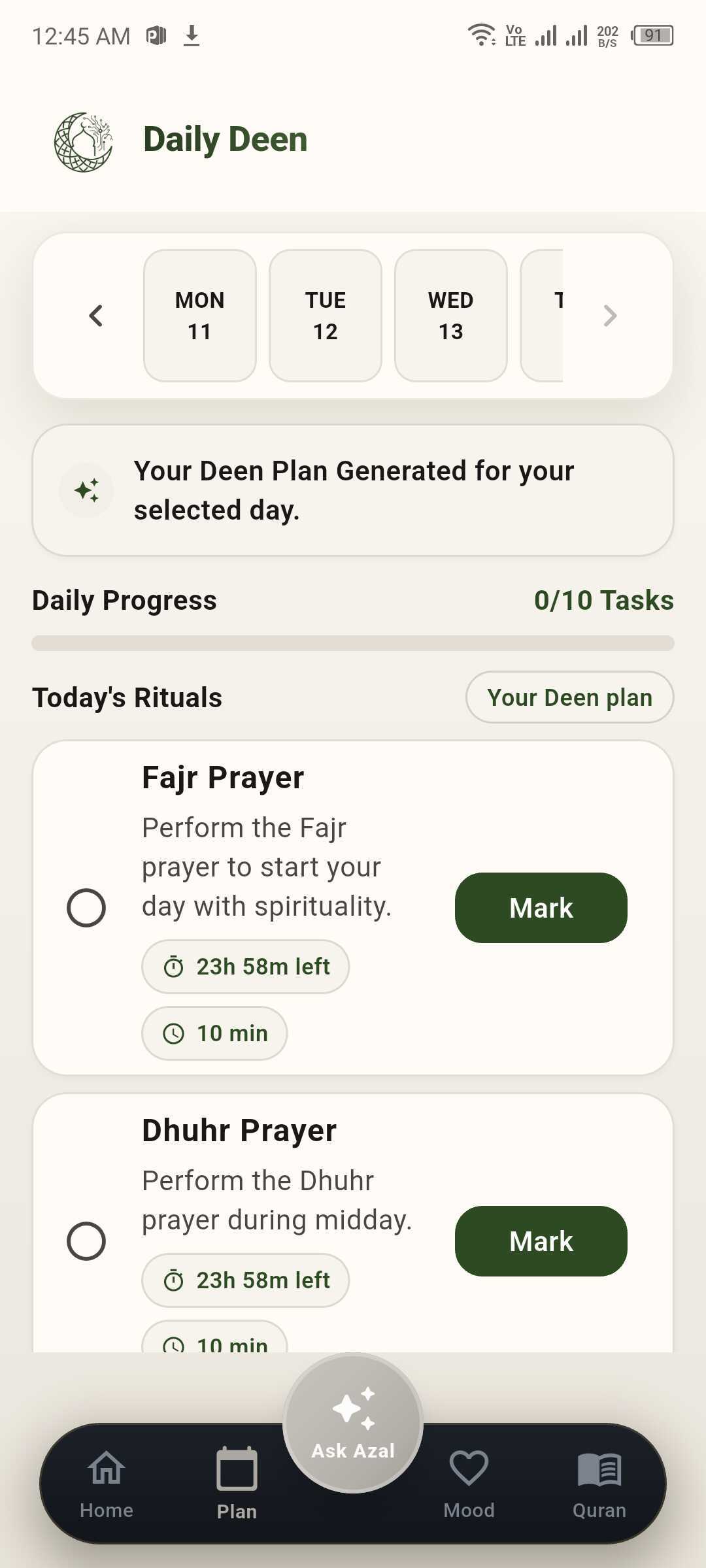
Plans are not punishment. Azal generates a gentle daily list based on your goals and availability, with a clear progress bar and a regenerate button if today calls for a different shape.
Day-by-day week strip
Tap any day Mon–Sun to see that day's rituals. The selected day is highlighted in green.
AI-generated, regeneratable
Azal generates your day automatically. Not feeling it? Tap Regenerate to get a fresh plan.
Daily progress at a glance
A simple bar shows 'X of Y Tasks' completed, so the day's intention stays visible.
Rituals with quick complete
Each task — Fajr, Dhuhr, Asr, Maghrib, Isha and more — has a one-tap Mark / Done button.
Daily Deen
A dua for every emotion.
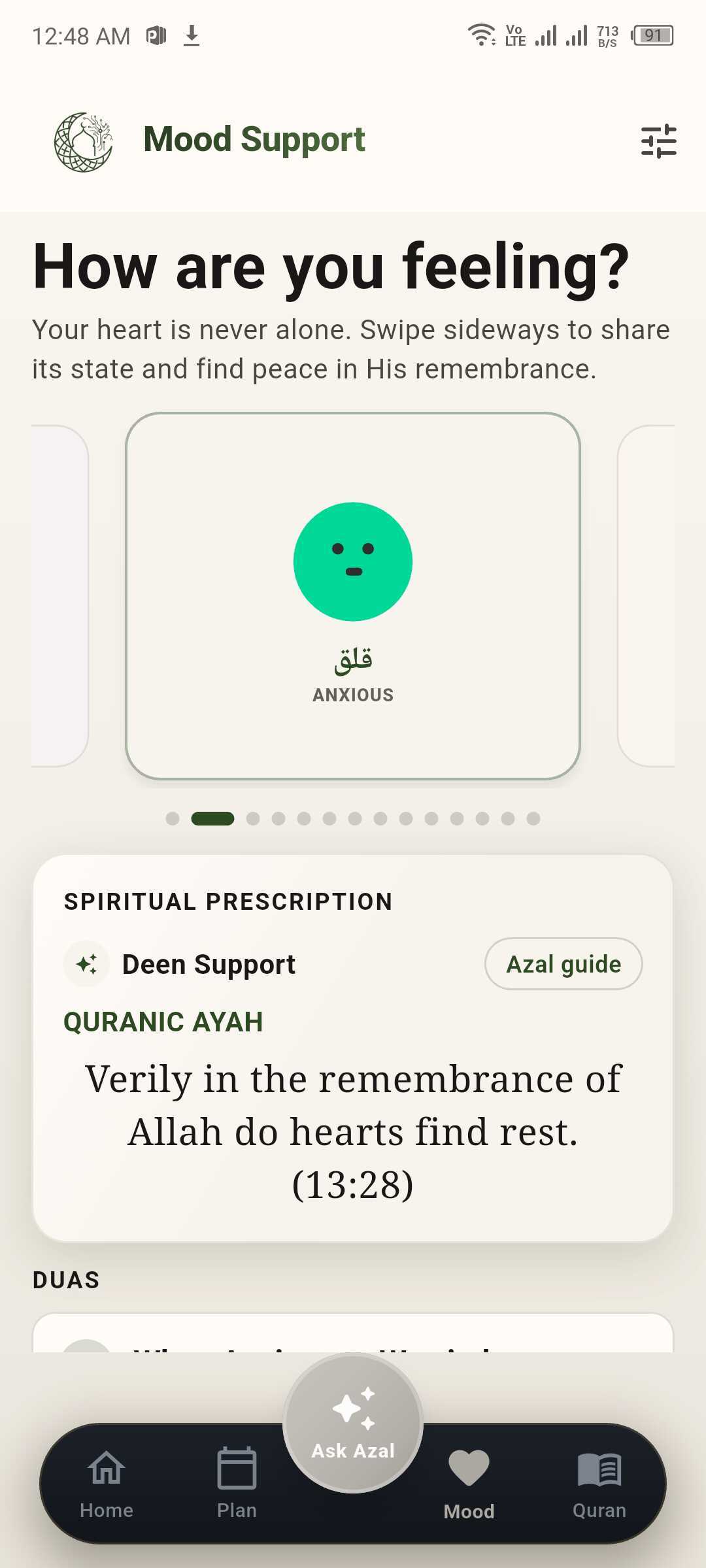
Some days the heart is heavy, some days it is grateful. Tap how you feel and Azal opens a spiritual prescription — a relevant ayah and a moment of supportive content tuned to that mood.
أَلَا بِذِكْرِ ٱللَّهِ تَطْمَئِنُّ ٱلْقُلُوبُ
Verily in the remembrance of Allah do hearts find rest. (13:28)
Fourteen bilingual moods
Sad, anxious, stressed, fearful, angry, resentful, guilty, lonely, confused, overwhelmed, tired, grateful, hopeful, calm.
Spiritual Prescription
Each mood opens a Deen Support card with a Quranic ayah and a short, supportive reflection.
Arabic alongside English
Mood labels show in both Arabic and English so it feels familiar in either language.
Curated content + offline fallback
Mood content is sourced from a curated dua dataset with an offline fallback so you're never stranded.
Mood Support
Read and listen to the Quran.
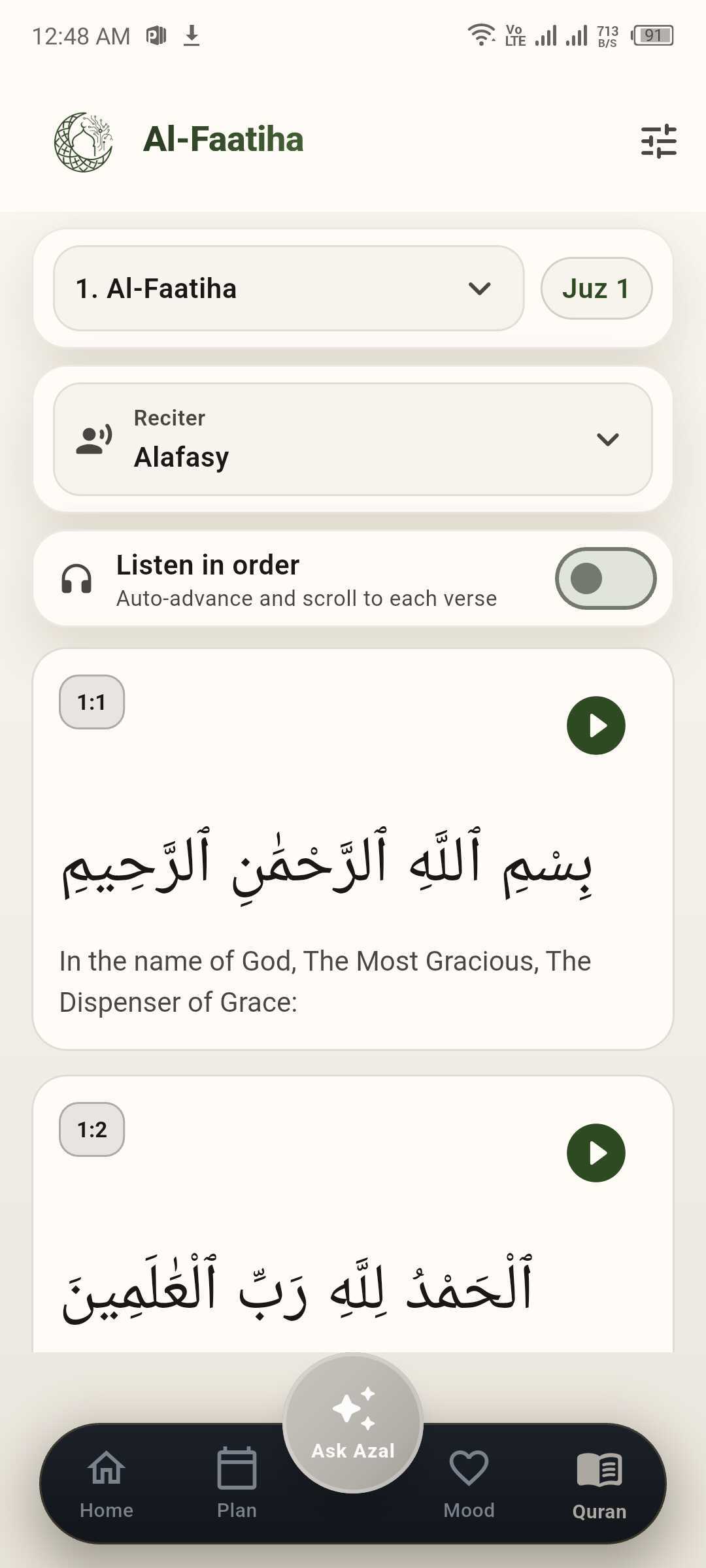
Browse all 114 surahs and their ayat in clean, readable typography. The reading view shows each ayah with translation and a play button for recitation — starting from Al-Faatiha and onward.
Ayah-by-ayah reading view
Each ayah shows Arabic, an accessible English translation, and its surah number in a calm card layout.
Surah picker
Jump to any of the 114 surahs by name or number — Al-Faatiha, Al-Baqara, Aal-i-Imraan, and so on.
Tap-to-play recitation
A green play button on every ayah streams recitation from a public Quran audio API — no downloads required.
Bookmark where you stopped
Signed-in users have their last-read position remembered across devices.
Reading Quran
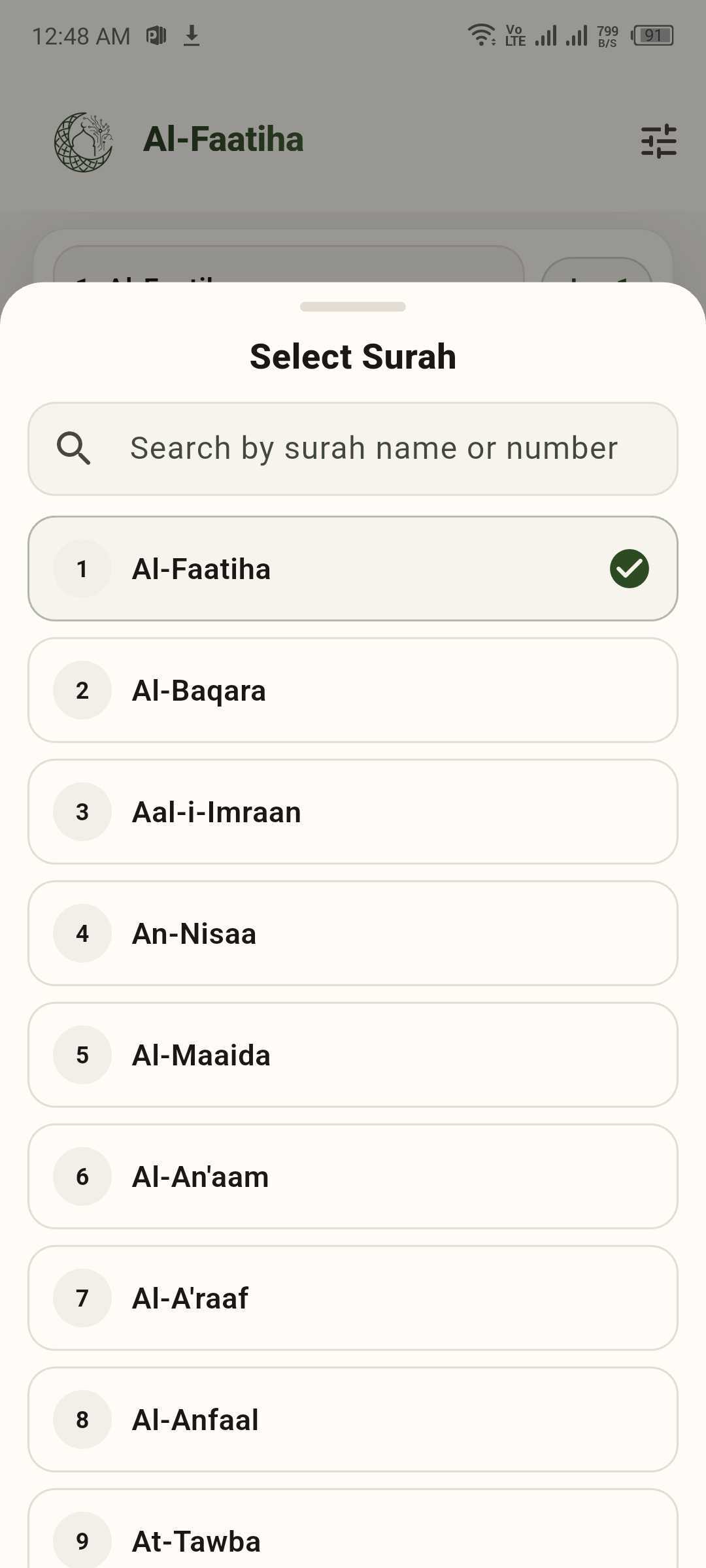
Select Surah
Reading you can shape to your eyes.
Open verse appearance to adjust Arabic size, letter spacing, verse card background, Arabic text colour, and English translation colour — with quick presets and a reset when you want defaults back.
Typography sliders
Dial text size and letter spacing so long reading sessions stay comfortable on your device.
Colour presets + picker
Choose from a grid of calm neutrals and greens, or open the system colour picker for a custom shade.
Separate controls
Card background, Arabic, and translation colours are independent so contrast stays under your control.
One-tap reset
Return everything to the app's recommended reading defaults without hunting through menus.
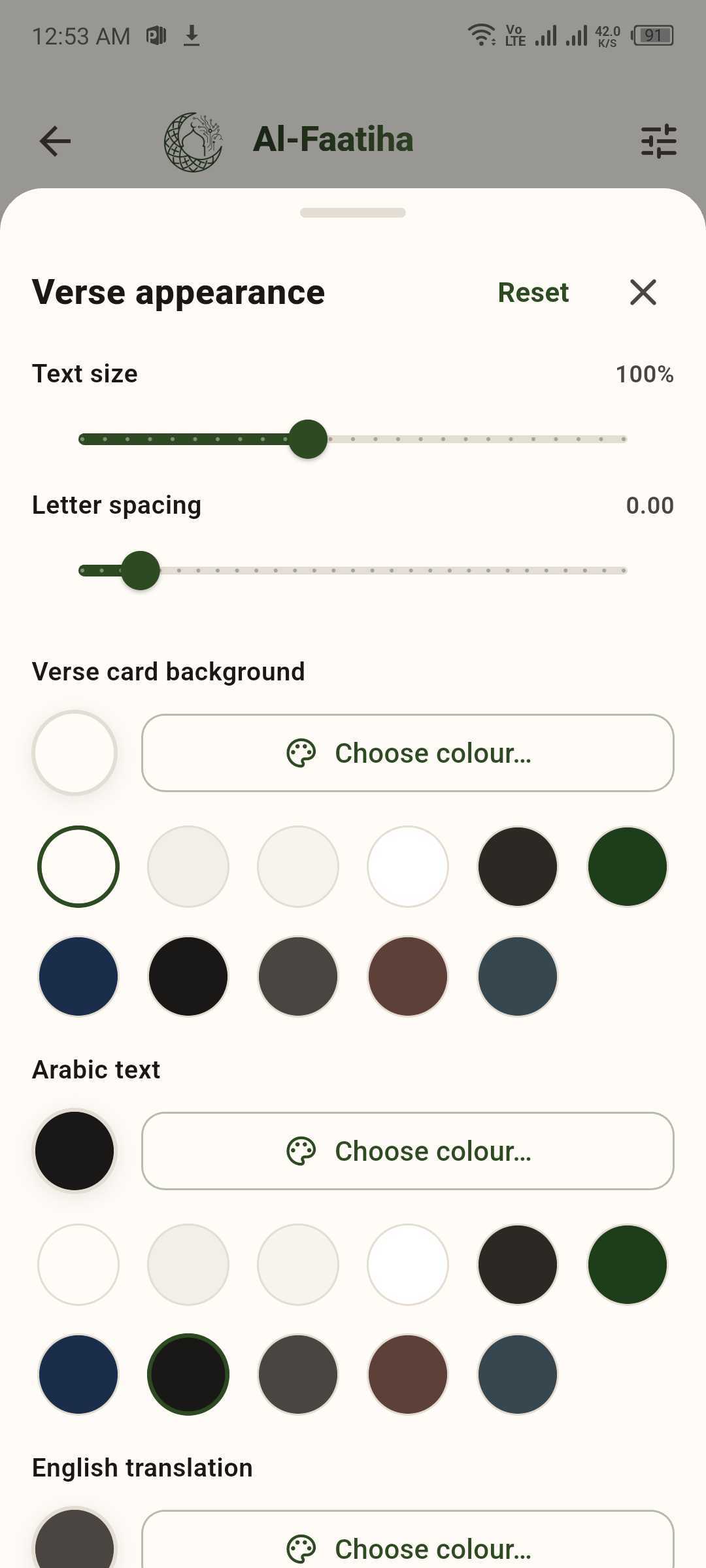
Verse appearance
Timings, voice, and optional reminders.
See today's prayer times for your location, preview adhan voices, turn on local reminders at salah times, and pick calculation method plus Asr shadow (standard or Hanafi) — all in one calm screen.
Next adhan at a glance
A banner highlights the upcoming prayer and countdown so you know what's next without mental math.
Adhan voice & preview
Choose a recitation style (for example Makkah Haram style) and tap play to preview before you commit.
Reminders & calculation
Toggle reminders for remaining prayers today, set the calculation convention, and match madhhab for Asr.
Full day schedule
Each salah appears as a card with time, next/in countdown, and clarity where adhan does not apply (e.g. sunrise).
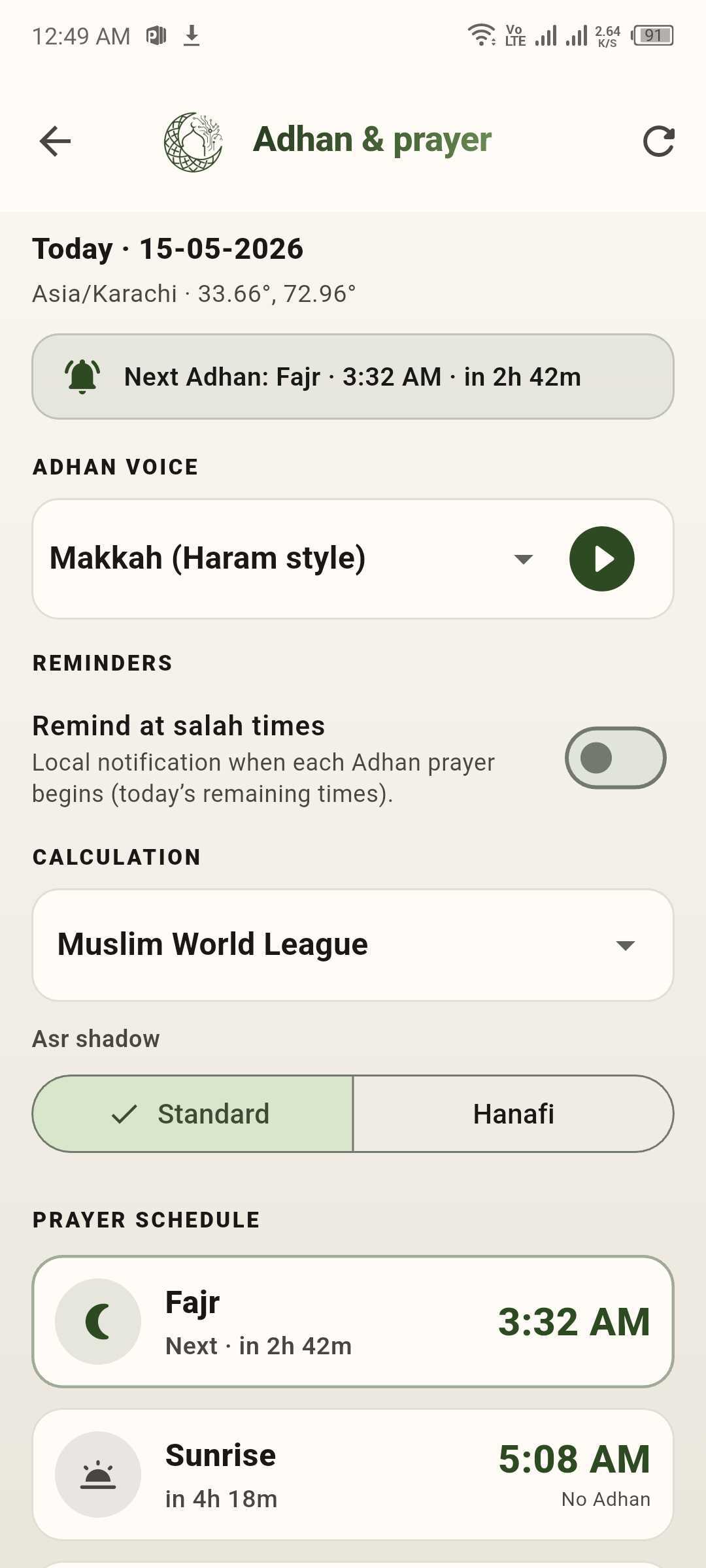
Adhan & prayer
Lessons from the lives that shaped us.
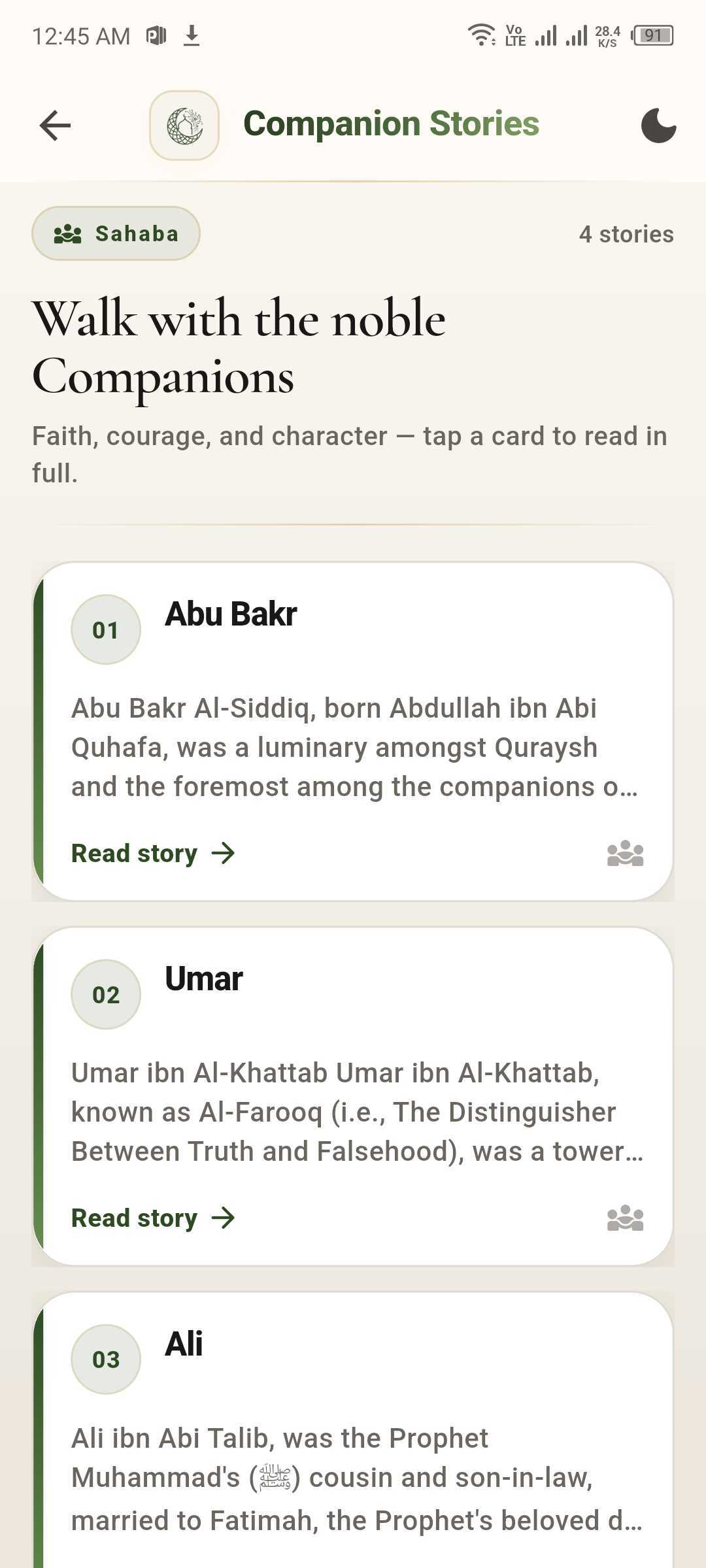
Long-form, clearly written stories of the Prophets (peace be upon them) and the noble Companions — each with the Quranic context that frames it. Browse the list, tap into a story, and read at your own pace.
Story of every Prophet
Adam, Idris, Nuh, Hud, Saleh and more — each as a card with a short description and a Read Story button.
Companions of the Prophet ﷺ
Abu Bakr, Umar, Ali and the noble companions, each with a thoughtful biography and lessons drawn from their lives.
Bilingual detail pages
Stories include key verses in Arabic with transliteration and English translation. Toggle a soft night mode for evening reading.
Loaded from the server
Story content lives in the cloud so we can keep adding and refining without forcing app updates.
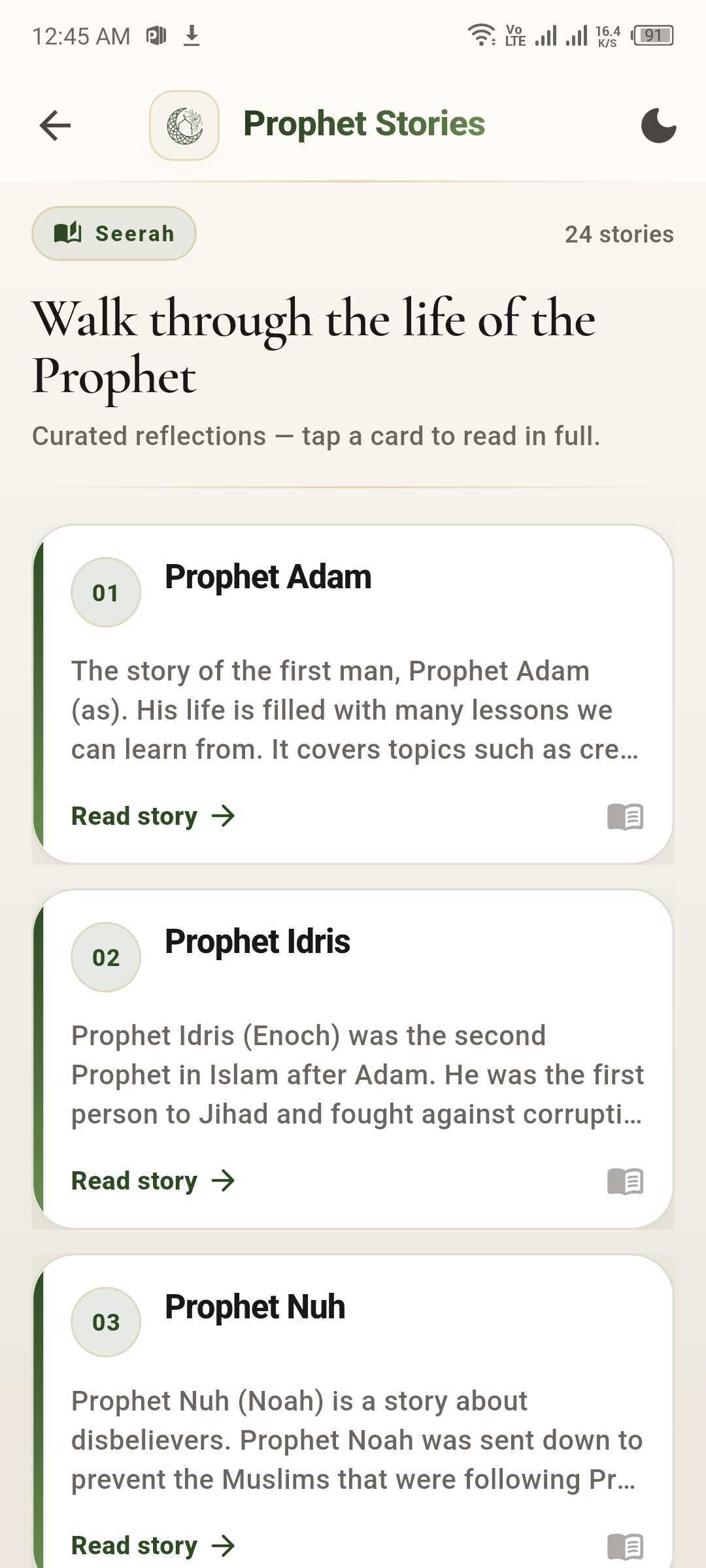
Prophet Stories
Companions
The major collections, organized to read.
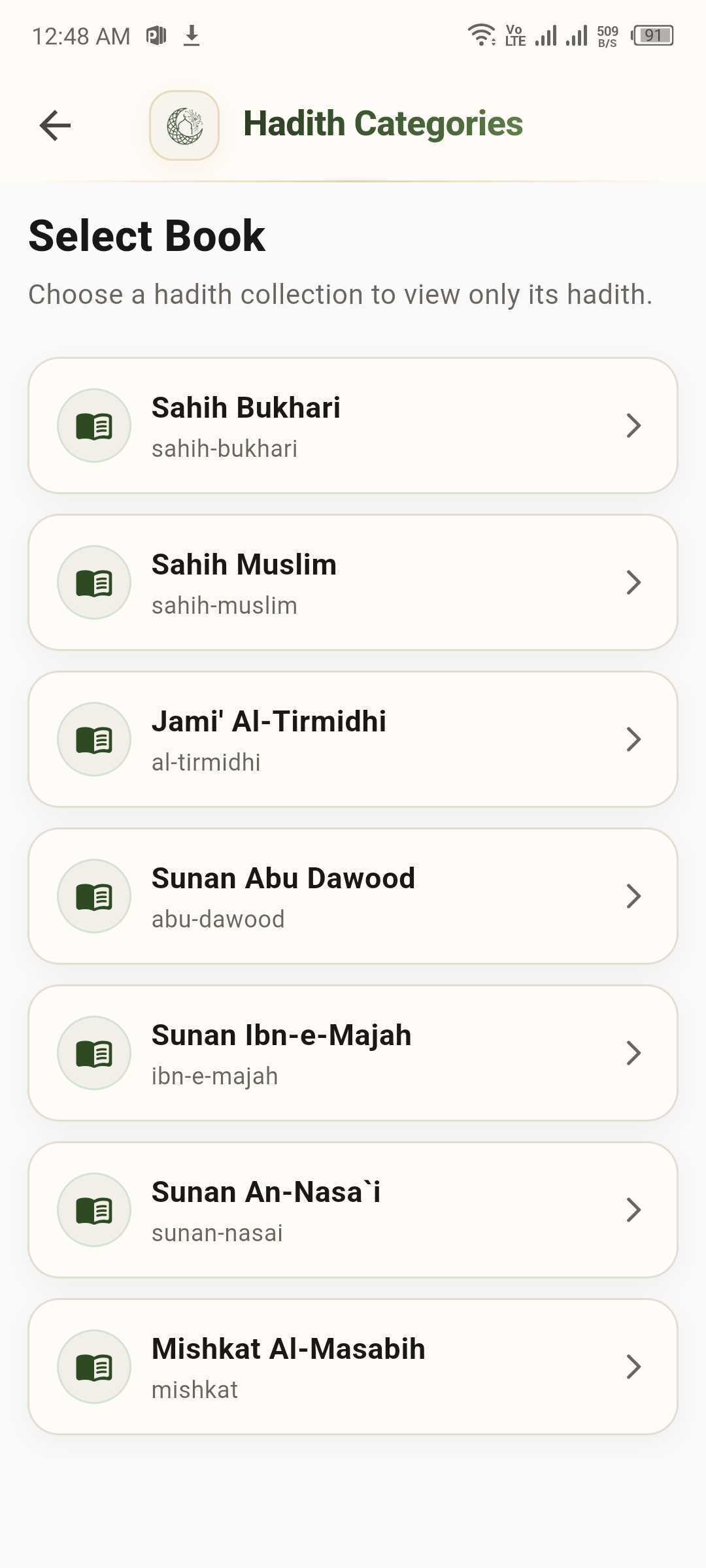
Choose a hadith collection to view only its hadith. From the Hadith Categories screen, you drill into a single book and read narration by narration with a clean nested view.
Seven collections
Sahih Bukhari, Sahih Muslim, Jami' Al-Tirmidhi, Sunan Abu Dawood, Sunan Ibn-e-Majah, Sunan An-Nasa'i, and Mishkat Al-Masabih.
Browse by book
Pick a collection and Azal scopes the view to only that book's hadith.
Translation alongside the original
English translation sits beside the Arabic, with the collection and reference number always visible.
Bookmark and revisit
Save the narrations that move you — they show up so you can return to them anytime.
Hadith
Dhikr, counted gently.
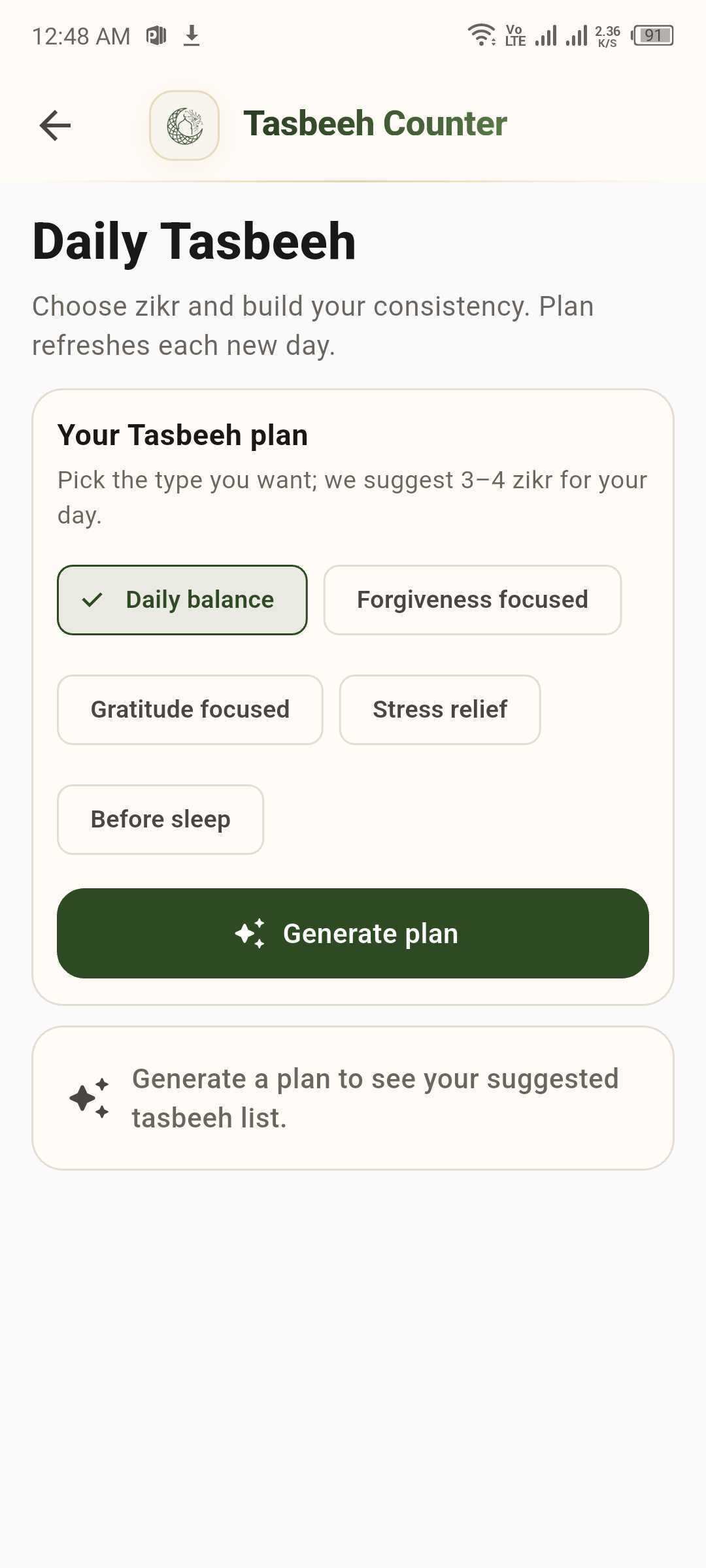
A modern tasbeeh that respects the tradition. Set a target, tap to count, and let the AI Tasbeeh Generator suggest a small adhkar plan that fits your goals and the time you actually have.
AI Tasbeeh Generator
Pick a flavour — Daily balance, Forgiveness focused, Gratitude focused, Stress relief, or Before sleep — and generate 3–4 tasbeeh plans tuned to it.
Counters and targets
Set targets like 100, 150, or 200. Visualize today's progress on a clean circular counter.
Common adhkar built in
Alhamdulillah, Shukr, Astaghfirullah and more — with their meaning shown alongside each card.
Quiet haptics
Subtle haptic feedback for each tap, so you don't have to keep glancing at the screen.
Tasbeeh
Step-by-step guides for prayer and purity.
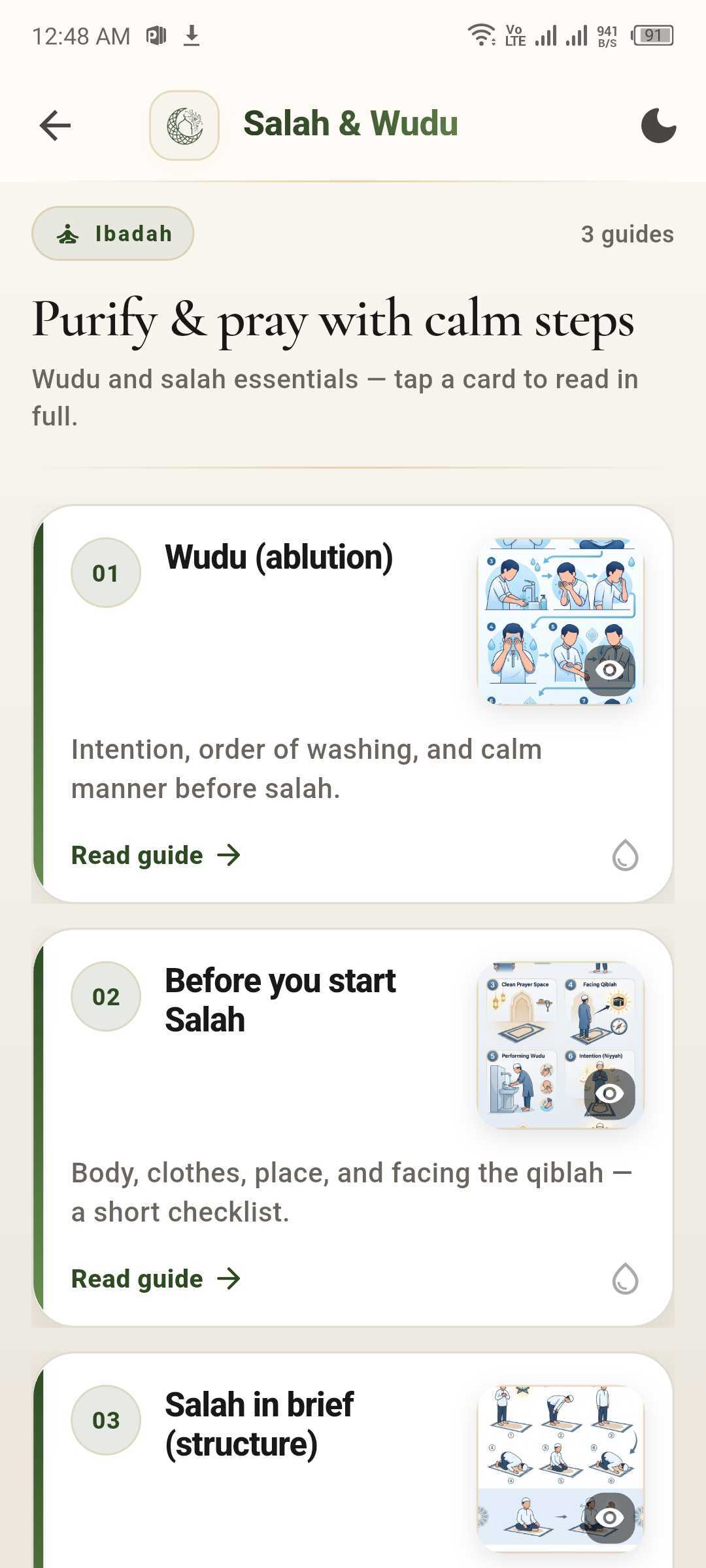
A short, clearly-written reference for the things every Muslim wants to get right — wudu before salah, what to check before you begin, and a brief structure of the prayer itself.
Wudu (ablution)
Intention, the order of washing, and a calm manner before salah.
Before you start Salah
Body, clothes, place, and facing the qiblah — a short, practical checklist.
Salah in brief (structure)
Units (rak'ahs), the main postures, and what to do if you forget a part.
Read at your own pace
Each guide opens to a clean detail page — no popups, no autoplay video.
Salah & Wudu
Quiet on the surface. Careful underneath.
We treat your deen as something private. The app uses modern, secure plumbing for the things that need to sync, and this marketing site does not collect any data from you.
Secure sign-in
Sign-in inside the app uses standard, secure providers (Google) and encrypted cloud sync for your plan and bookmarks.
AI inside boundaries
Ask Azal is scope-locked to Islamic topics. In Verse-aware mode, answers prefer Quran and authenticated hadith citations.
Trusted sources
Quran text, recitation audio, and hadith collections come from established public APIs and verified datasets.
Offline-friendly
Mood-based duas have an offline fallback. Once a surah is opened, you can re-read it without a connection.
Azal provides educational Islamic guidance only. It is not a fatwa. For personal religious rulings, consult a qualified scholar.
Honest answers, no salesmanship.
A short list of the questions we hear most. If you have something else, write to us — we read every email.
Email the teamIs Azal a scholar?
No. Azal is an educational companion. It can summarise verses, hadith, and well-known scholarly positions, but it does not issue fatwa. For personal rulings, please consult a qualified scholar.
What's the difference between General and Verse-aware mode?
General mode is conversational and best for everyday questions. Verse-aware mode prefers Quran and authenticated hadith citations and is tuned for deeper, source-anchored answers.
Do I need an internet connection?
Most features — AI chat, hadith collections, recitation audio, and cloud sync — require internet. Mood-based duas include an offline fallback set, and recently opened surahs remain readable offline.
What language is the app in?
The UI is primarily in English, with Arabic shown for Quran, hadith, dua text, and short headings. Translations are presented alongside the original.
Where do the Quran and hadith come from?
Quran text and recitations come from established public Quran APIs. Hadith content is drawn from the six major Sunni collections (Kutub al-Sittah) and presented with translations.
How does voice input work?
Voice in Ask Azal uses your device's built-in speech-to-text. The audio is processed locally by your operating system; only the resulting text reaches Azal.
How is my data handled?
When you sign in, your plan, streaks, and bookmarks sync to your account so you can switch devices. This marketing website itself does not collect any data, run analytics, or store cookies.
Will there be an Android version?
Yes. For now, Azal is focused on Google Play. Tap the download button above to be taken to the listing when it's live.

Bring Azal into your everyday.
Free to download. No ads. No noisy notifications. Just a quiet companion for your deen.